
Metal detection is now within reach of your hand, literally on your mobile.There are several applications available that turn your smartphone into a functional metal detector, offering practicality for hobbies, professional work or simply curiosity.
The technology behind these apps utilizes the magnetic sensor built into most modern mobile devices, allowing you to identify magnetic fields generated by nearby metal objects.You can use these tools to locate buried coins, investigate lost objects, or even check the quality of ceramics and glass in your home.
How Mobile Metal Detectors Work
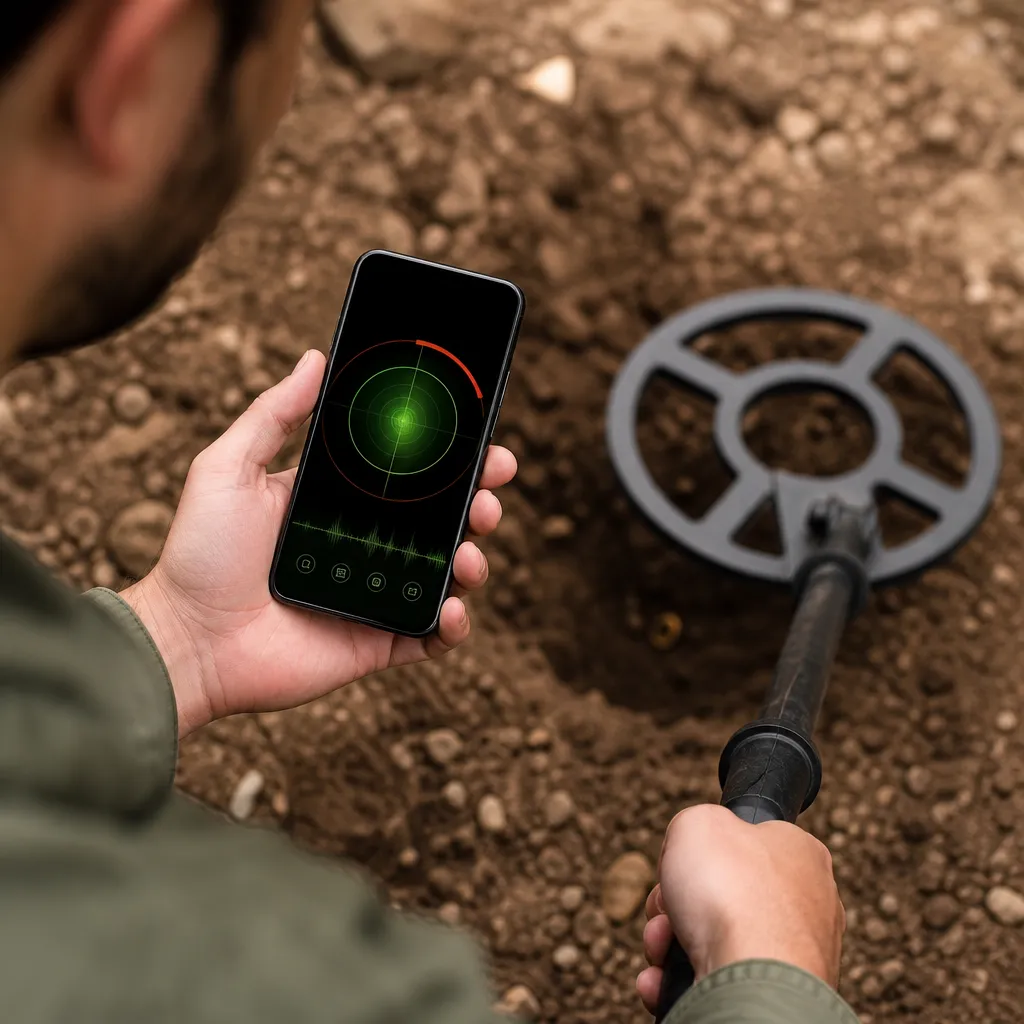
The metal detection apps work through the magnetometer present in virtually all current smartphones. This sensor measures the intensity of the magnetic field around it, detecting variations when metallic objects approach the device. The application then processes this data and presents it in visual or sound form, allowing you to identify the presence and approximation of metals.
The magnetometer works by measuring the natural terrestrial magnetic field and identifying when this field is altered by the presence of ferromagnetic materials.When you move your mobile phone close to metal objects, the intensity of the recorded field increases, and the application translates this information into a visual indicator or even vibrations.The accuracy varies greatly depending on the quality of the sensor of your device and the distance from the metal object.

Detetor de metais
Smart Tools co.
It is important to understand that free applications often have limitations compared to professional metal detectors.The depth of detection is reduced, the range is smaller, and the accuracy depends greatly on the type of metal and the size of the object.Small coins can be detected just a few centimeters away, while larger objects reach slightly greater depths.
Main Differences Between Available Applications
When choosing which metal detector to download on your mobile, you will find very different options from each other. Some applications are completely free with advertising, others offer premium versions with advanced functionality, and some adopt hybrid models with in-app purchases.This variety of business models directly affects the user experience and capabilities that each tool offers.
Basic detectors often feature a simple interface with a visual meter that increases as a metal approaches. More sophisticated versions include real-time graphics, detection history, automatic calibration, and even maps to track locations where metals have been found.
Interface quality varies greatly among commercially available applications. Some options feature modern, intuitive designs that make it easy to immediately understand detection data. Others have more complicated interfaces, with confusing menus or too small buttons that make it difficult to use when searching. Responsiveness is also crucial, as a slow application can leave you frustrated when trying to locate something quickly.
Choosing the Best App for Your Needs
To select the ideal metal detector for your phone, you need to first identify your specific use case. If you are looking for an occasional hobby of searching for coins in parks, a free basic application will probably meet your needs well.But if you work professionally or seek more reliable performance, investing in a premium version with better functionalities will make a significant difference.
Also consider compatibility with your device when choosing which app to install. Different apps work best on iPhones or Android smartphones depending on how they have been optimized.Some apps may not be available in your region or may have been discontinued by their developers. Checking the date of the last update is essential to ensure compatibility with current versions of your operating system.
The amount of reviews and the average rating the app receives in the store also provide valuable indicators on its quality. You should read reviews from real users to understand what are the practical advantages and disadvantages of each option.Many users report their specific experiences, such as the maximum detection distance they achieve or compatibility problems with their phone models.
Test the app in real-world conditions before investing in a premium version or making purchases within it. Most options offer free version with basic functionality, allowing you to assess whether the performance meets your expectations. Use metal objects known as coins, keys or wires to test the sensitivity and reliability of app detection on your specific device.
Realistic Limitations and Expectations
You should set realistic expectations about what a metal detector on your mobile phone can actually do. These applications are much lower in capacity than professional metal detectors that cost hundreds or thousands of dollars.The maximum detection depth rarely exceeds 10 to 15 centimeters, and is usually significantly lower for small metal objects.
Electromagnetic interference can greatly impair accuracy when you are near electronic equipment such as transformers, WiFi routers or power lines.Some non-magnetic metals, such as gold and pure silver, are not detected efficiently by basic magnetometers.In addition, success also depends greatly on soil moisture, the presence of natural ores in the field, and the specific orientation of your mobile phone.
Battery consumption is an important consideration when using these apps, especially in long search sessions.The magnetic sensor works continuously, and the screen stays active all the time, draining your battery quickly.You should be prepared to charge an external battery or have access to a power outlet if you plan to use the detector for several hours straight.
Advanced Features in Premium Apps
Premium versions of mobile metal detectors offer features that significantly elevate the user experience. Some applications include automatic calibration that continuously adjusts sensitivity based on the environment, compensating for natural electromagnetic interference. Others offer customizable visual and sound alerts, allowing you to choose different sounds or vibrations for different detection intensities.
Many premium apps include a map mode that records the exact location where each detection took place. This is incredibly useful if you are searching for objects in a specific area, as it allows you to trace a search pattern and see which locations have already been covered. Some apps even sync data with the cloud, allowing you to access your history of multi-device detections.
Real-time charts are another highlight of premium apps, showing the intensity of the magnetic field in wave form. These charts help more experienced users differentiate between different metals, as each type can generate slightly different magnetic signatures.You will also find premium versions with statistical analysis of the collected data, offering insights into detection patterns over time.
Practical Comparison: When to Use an App vs A Professional Detector
A metal detector on your phone is perfect when you want something simple, portable, and that does not require significant investment. If you are a curious beginner about metal detection, are just exploring the hobby, or need to locate something lost quickly in your home, a free application already solves. The convenience of having the tool always in your pocket, since you always carry your smartphone, is invaluable.
However, if you plan to develop a serious activity of searching for objects, detect gold professionally, or work in archaeological sites, you should definitely invest in a professional metal detector. These equipment can detect metals at much greater depths, with much more precision, and work perfectly well even in environments with a lot of electromagnetic noise. A professional detector can cost between 200 to 5,000 reais depending on the features, but offers a real return on investment for professional activities.
You can use the application as a way to test if you really would like to pursue a hobby of metal detection before investing in professional equipment. Many people find through the apps that the hobby is not for them, saving money that could have spent on an expensive detector. On the other hand, some people love the experience so much that they decide to upgrade to professional equipment to better exploit its potentialities.
Practical Tips to Maximize Your Results
To get the best performance when using a metal detector on your mobile phone, you should steer clear of electromagnetic interference sources like transformers, high voltage lines, and powerful electronic equipment. Choose open locations when possible, away from buildings and metal structures.If you are searching indoors, keep your distance from working appliances and choose schedules when there is less electronic activity around.
The movement technique is crucial to correctly detect using your mobile. You must move the device slowly and in systematic patterns, covering an area in an organized manner. Too fast movement can make you lose important detections, while too slow movement makes searching unnecessarily time-consuming. A grid pattern or parallel tracks ensures that you do not leave areas uncoated.
Always test your app before leaving in a real search session, using metallic reference objects you know. This allows you to familiarize yourself with how the app responds on your specific device and in your local environment. You will better understand what is the maximum detection distance you get and how the app behaves with local interference.
Keep your phone calibrated regularly, especially if your app offers this functionality.Step away from any metallic object, place your phone on a neutral surface, and perform the app calibration process.This ensures that magnetometer readings are accurate and that variations in the local terrestrial magnetic field are properly accounted for.
Use apps with night mode or low light if you plan to use in low light environments. This preserves your night vision if you are searching at dusk or in caves, and also saves battery in many cases.You can also consider plugging in headphones to hear sound alerts more clearly, especially in outdoor environments with ambient noise.
I document your progress by noting locations, depths, and object types that you detected in each session. If your application offers mapping capability, use it extensively to create a visual record of your searches.This data becomes valuable over time, especially if you are searching in a specific area and want to avoid remaking the same location multiple times.
Be patient during your searches and do not expect spectacular results immediately. Metal detection is an activity that combines skill, knowledge of the terrain, and a good deal of luck.The more experience you gain using the application, the better you will become at interpreting the readings and anticipating where metal objects may be based on geological or historical patterns of the site.


