
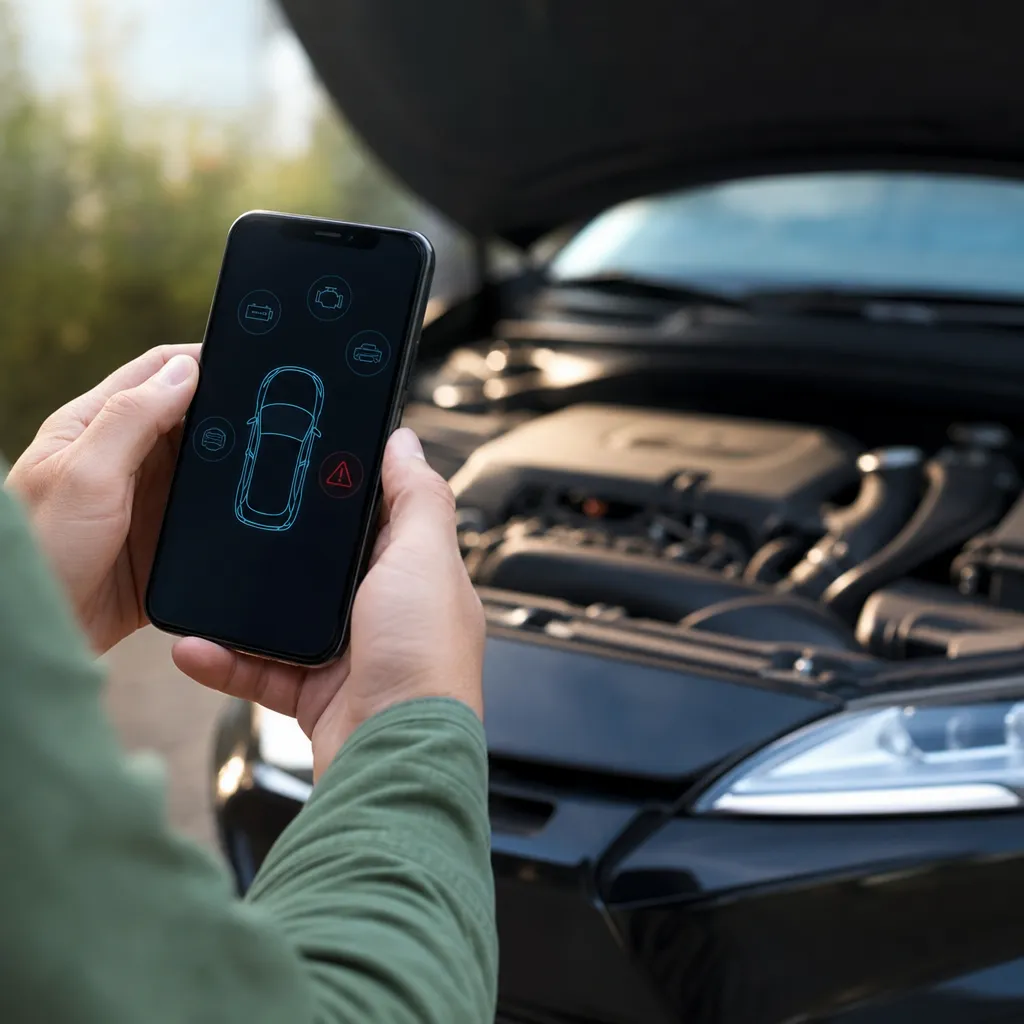
You can diagnose problems in your car using only your smartphone, without having to go to the mechanic. The technology is increasingly accessible and allows you to identify serious faults before facing a workshop.

Car Scanner ELM OBD2
CAR SCANNER LLC
Modern applications connect to the vehicle diagnostic system via small, cost-effective adapters, reading error codes directly from your car's computer. This approach has revolutionized the way owners monitor the health of their vehicles, saving time, money and avoiding unnecessary repairs.
How Smartphone Vehicle Diagnostics Works
The vehicle diagnostic system works by connecting a physical adapter to the OBD-II diagnostic port of your car, which is usually located under the instrument panel on the driver's side. The adapter communicates via Bluetooth or WiFi with an application installed on your iPhone or Android, sending in real time the information of the vehicle sensors. This OBD-II port is mandatory on virtually all cars manufactured after 1996 in the United States and after 2000 in most European countries, including Brazil.
The adapters available on the market are small, portable and do not damage the vehicle in any way, functioning as an intermediate reader between the car computer and your smartphone. When you connect the adapter and open the application, the system begins to read the data transmitted by the sensors of the engine, transmission, electrical system and other critical components. This reading occurs in real time, allowing you to visualize exactly what is happening inside your vehicle without the need for expensive equipment or repeated visits to the mechanic.
Top Problems You Can Identify
One of the biggest benefits of this technology is the ability to identify specific error codes that your vehicle is experiencing. The engine check light, that red light that appears on the dashboard, activates when some sensor detects an anomaly, but without the code reader, you do not know exactly what the problem is. Through the smartphone, you access detailed descriptions of these codes and understand if it is an urgent situation or something that can wait a few days.
You can diagnose problems such as faulty oxygen sensors, damaged catalysts, ignition coil problems, damaged air flow sensors and emissions system failures.In addition, the system monitors engine temperature, oil pressure, battery condition and overall vehicle performance, offering a complete overview of the mechanical state.If your car is malfunctioning, consumes more fuel than normal or has difficulties in acceleration, smartphone diagnosis will reveal the root of the problem quickly.
Electrical problems are also easily traceable through this technology, allowing you to identify data transmission failures, battery charging system problems, and even simpler issues like a loose fuel cap or faulty speed sensor.The accuracy in identification saves valuable time that would be spent on trial and error within a workshop.
Adapters Available in the Market
There are several options of OBD-II adapters available, each with different features and prices that suit different needs and budgets. Basic adapters, which cost between twenty and sixty reais, offer essential features such as reading error codes and basic engine information. These simple models work perfectly to diagnose common problems and are ideal if you just want to identify why the warning light went on.
Professional quality adapters, ranging from sixty to two hundred reais, include advanced features such as real-time graphics, data history, specific sensor testing, and the ability to erase error codes after repair is performed. These models are often chosen by owners who want continuous monitoring or by small mechanics who want to offer additional services.The most recognized brands such as Bluedriver, Viecar, and Foxwell ensure reliable compatibility and regular application updates.
You also find adapters with WiFi connectivity, which offer greater connection stability compared to Bluetooth, especially useful if you want to keep the smartphone away from the adapter while monitoring the vehicle. The choice depends mainly on how much you are willing to invest and what level of technical detail you want to track regularly.
Recommended Diagnostic Reading Apps
Torque, available for both Android and iOS, is one of the most popular and reliable apps for vehicular diagnostics, offering intuitive interface and access to a huge database of error codes.The app allows you to view data in real time, create custom charts, export full reports and even share information with mechanics for prior discussion. Its free version already offers impressive features, although the premium version unlocks advanced features like custom alarms and cloud data history.
Bluedriver is specifically developed for owners who want maximum ease of use, with extremely clear interface and simple language explanations about each detected error code. This application does not require in-depth technical knowledge, making it perfect for novice users who just want to understand what is happening with the car. Bluedriver also offers access to real mechanics who can answer specific questions about the diagnosed problems, creating a valuable support community.
Viecar is another robust option that offers compatibility with virtually every OBD-II adapter on the market, advanced sensor testing functionality and interface in English.For owners who want continuous monitoring and detailed historical data, Viecar offers cloud storage and the ability to track vehicle performance over time.
Step by Step to Diagnose Your Vehicle
The diagnostic process is extremely simple and can be performed by anyone within minutes.Firstly, locate the OBD-II port on your vehicle, which is usually under the instrument panel on the driver's side, near the steering wheel, or sometimes on the passenger side. The door has a specific rectangular shape and it is impossible to connect the adapter incorrectly, as it fits into a single position safely.
After locating the OBD-II port, insert the adapter completely until you feel a small click indicating the safe connection. Turn on the vehicle ignition without starting the engine, because the OBD-II system only works when the power is on. Open the chosen application on your iPhone and look for the Bluetooth or WiFi connection option by selecting the adapter that will appear available in the list of discovered devices.
Once connected, the application will start reading the vehicle data and you will see information appearing on the screen in real time, including engine temperature, revolutions per minute, fuel pressure and car speed if it is possible to start. If there is any error code stored on the vehicle computer, the application will clearly display the description of the problem and offer options to clean the code after the repair is completed. The whole process takes between two and five minutes from start to finish.
Real Savings You Can Make
The initial investment in an OBD-II adapter and an application pays for itself very quickly when you consider how much you save on unnecessary visits to the mechanic. A diagnostic consultation in a workshop costs on average between one hundred and fifty to three hundred reais, and often you need to make multiple visits to completely identify the problem. With the home system, you make unlimited diagnostics for less than one hundred reais of initial investment.
In addition, you avoid being charged for incorrect diagnoses or unnecessary repairs that some less ethical mechanics may suggest when there is no transparency about the real problem. Knowing exactly what the error code is before entering the workshop, you negotiate better and can ask for more accurate budgets of multiple mechanics. Many owners report savings of thousands of dollars over a few years simply avoiding unnecessary repairs and keeping informed about the health of the vehicle.
You can also extend the life of your car by identifying small problems before they become large and costly. A slightly defective oxygen sensor can be repaired for a hundred dollars before it damages the catalyst, which costs ten times more. This type of preventive intervention is possible only when you regularly monitor the health of your vehicle using home diagnostics.
Limitations and When You Still Need Mechanics
Despite the impressive capabilities of vehicle diagnostic technology by the smartphone, it is important to understand that it does not completely replace the expertise of a professional mechanic in all situations.The system reads error codes and offers valuable information, but it is unable to perform physical tests such as visual verification of damaged components, electrical resistance measurement or fluid pressure tests.If the error code indicates a problem in the brake system, for example, you still need a mechanic to physically inspect the pads, discs and cylinders.
Intermittent problems are particularly difficult to diagnose with the smartphone alone, as the error code may not be registered at the time of reading if the fault has passed. In addition, some older vehicles or less popular brands may not be fully compatible with certain adapters, limiting the available functionalities. Mechanical components such as distribution chains, clutches and automatic transmissions usually require specialized physical inspection that electronic diagnostics cannot fully evaluate.
You should use smartphone diagnostics as a top-notch tool to identify obvious problems and save time before visiting a professional mechanic.For complex repairs, mechanical components or situations requiring advanced expertise, an experienced professional remains indispensable.The combination of both approaches offers the best cost-effectiveness and greatest safety for you and your vehicle.
Frequent Questions about Vehicle Diagnosis by Smartphone
You have many questions about how this technology works and whether it is really safe and effective for your car. The following answers address the most common questions homeowners have when considering using smartphone vehicle diagnostics as a maintenance and monitoring tool.
Does the OBD-II adapter damage the vehicle or affect operation?
No, the OBD-II adapter is completely safe and does not damage the vehicle in any way. It works only by reading information from the car's on-board computer, without making any changes to the systems or components.The adapter is a passive device that does not interfere with the normal operation of the motor or electrical systems, working similarly to a doctor taking the pulse of a patient without affecting him in any way.
The OBD-II port is specifically designed to allow third-party diagnostic access, and car manufacturers encourage owners to use these tools for preventive maintenance. You can leave the adapter continuously connected to the vehicle without any risk, although many people prefer to remove it when they are not diagnosing to avoid accidental damage to the door. If for some reason you find that the adapter does not work properly, simply disconnect it and the vehicle returns to normal operation immediately.
What is the typical price of adapters and applications?
Adapters range in price from twenty to two hundred reais depending on the brand, features and build quality. A basic adapter of acceptable quality costs around thirty to fifty reais, while premium models of recognized brands cost between one hundred and two hundred reais. Most applications have free versions that offer enough functionality for basic diagnosis, with optional paid versions that cost between twenty and fifty reais per month for advanced features.
Considering that a visit to the mechanic costs between one hundred and fifty to three hundred reais, the initial investment is paid very quickly. Many owners make diagnosis of two or three different problems already in the first year of use, fully recovering their investment and starting to save real money.In addition, after paying a single time for the adapter, you have access to unlimited diagnosis for the rest of the life of the vehicle.
Does the system work on old cars or only on modern vehicles?
The OBD-II system is mandatory in virtually all cars manufactured after 1996 in the United States and after 2000 in Europe and Brazil. If your vehicle was manufactured on these dates or more recently, it will definitely have the OBD-II port and will be fully compatible with diagnostic adapters. Very old cars, manufactured before this standardization, will not have the OBD-II port and therefore are not compatible with this technology.
You can check if your car is compatible by simply looking for the OBD-II port under the instrument panel, or by referring to the date of manufacture in the owner's manual.If the vehicle was manufactured after the years mentioned, you can be sure that the system will work perfectly regardless of the specific make or model of the car.
Do I need to know anything about mechanics to interpret the data?
It is not necessary to have advanced knowledge of mechanics to use the system, although understanding the basics is useful. Most modern applications offer simple language descriptions of error codes and what they mean, allowing lay owners to quickly understand what the problem is. If the technical description is too complex, you can simply copy the code and search online, finding detailed information from multiple sources.
For users who want to dig deeper, there are online communities, owner forums and even mechanics who answer questions about specific diagnostics. Bluedriver, for example, offers access to certified mechanics who can explain any error code in simple terms.You are never alone when trying to understand your vehicle data, and often other people have faced the same problem and shared the solution online.
Does the diagnosis work while I'm driving the car?
Yes, you can diagnose the vehicle while driving, as the app works continuously while the car is operational. Many owners use this functionality to monitor in real time how the engine is responding during acceleration, braking and at different speeds, helping to identify intermittent problems that only appear under certain driving conditions. You can put the smartphone on a stand on the dashboard and view the data as you drive without further difficulties.
However, for your safety, it is recommended to focus mainly on the steering wheel and the road, using diagnostic monitoring in a secondary way during the commute.Many owners prefer to park the car in a safe place and review the data while it is stationary, especially when looking for specific information or error codes. The system works anyway, but the safest way is to observe the data at rest and then drive the car confidently after you have understood the diagnosis.
How long does the diagnosis take to be ready?
Diagnosis takes between two and five minutes from the moment you plug in the adapter until you receive the first complete information about the vehicle. Initial reading of the error codes and basic engine information happens in a few seconds, while more detailed and historical data may take a few additional minutes to be fully loaded. After the first reading, you can quickly review the data on future connections, especially if you are just checking if new error codes have emerged.
The speed depends somewhat on the quality of the adapter, the strength of the Bluetooth or WiFi signal and the complexity of the data being transferred. Superior quality adapters work faster, just as WiFi connections are generally more stable than Bluetooth in some situations.But even with a basic adapter, you will have your first diagnostic data in less than ten minutes from the moment you thought about making the diagnosis.
Can I delete the error codes after I repair the car?
Yes, most adapters and applications allow you to delete error codes stored after you perform the repair. This feature is useful because it confirms that the solution worked, as long as the code does not reappear in a few days of normal direction. You should erase the code only after you are confident that the repair was performed correctly and that the problem was actually resolved.
Important to remember that deleting an error code does not solve the underlying problem, just cleans the memory of the vehicle computer. If the problem continues to exist, the code will reappear after a few driving cycles. Many mechanics also have access to the same feature of deleting codes, so you do not necessarily have to do it on your own if you prefer to let the professional confirm that the repair was successful before cleaning.
What is the difference between a Bluetooth adapter and WiFi?
The main difference is the method of communication between the adapter and the smartphone, where Bluetooth uses short-range radio and lower power consumption, while WiFi offers higher speed and wider range.Bluetooth adapters are generally more compact and cheaper, working perfectly for most users who position the smartphone near the OBD-II port.Wifi is preferred by users who want to keep the smartphone at a greater distance from the adapter or who expect to monitor the vehicle remotely from a considerable distance.
For typical home use inside the vehicle, Bluetooth works properly, but if you want greater connection stability or think about monitoring data while the car is parked far away, a WiFi solution can be more reliable.Both technologies work well with quality adapters, then your choice may be based on price, personal range preferences and specific features of the application you intend to use.
Is the diagnosis legal and safe to make at home?
Completely legal and safe to carry out diagnosis of your own vehicle at home using these tools, as you are the owner of the car and have full right to access diagnostic information about it. The legislation of multiple countries ensures that owners can access diagnostic information without the need for authorization from manufacturers or dealers. Many owners perform this procedure regularly as part of their preventive maintenance routine.
Physical security is also guaranteed, as the adapter does not cause any risk to the vehicle or operator, functioning as a simple passive data reader.If you care about personal data security or privacy, choose an adapter and reliable source application with good user reviews and clear privacy policy.The community of owners who use these tools is huge and offers many references about which products are safe and reliable.
Conclusion
Vehicle diagnostics by smartphone has revolutionized the way owners monitor and maintain their cars, offering access to technical information that was previously unique to professional mechanics.Investing in a quality OBD-II adapter and choosing a reliable application, you gain the ability to quickly identify problems, save significantly on unnecessary visits to the mechanic and make informed decisions about preventive maintenance.This technology does not completely replace the expertise of qualified professionals, but it works as an extremely valuable tool that puts power and knowledge in your hands, allowing better understanding of what is happening with your vehicle at any time.
If you are tired of feeling uninformed when a warning light comes on the dashboard, or are worried about paying for unnecessary repairs, start today with a basic adapter and experience the peace of mind that comes with genuine knowledge about the state of your car. Initial investments are minimal compared to the savings you will achieve over time, and the ability to diagnose problems before a visit to the mechanic will never cease to be useful as long as you own a motor vehicle.


