
Have you ever found yourself stuck in a noisy bus without being able to hear an important call? The reality is that many cell phones fail to reach the optimal maximum volume, leaving you frustrated at critical times. Learn now the most efficient methods to significantly increase the sound of your device.

Aumentar volume do celular
Simple Design Ltd.
Increasing the volume of the phone goes far beyond simply turning the side button or adjusting controls in the settings menu. There are specific strategies, both at the hardware and software level, that can make a noticeable difference in the quality and intensity of the audio coming out of your device.
Basic Volume Adjustments in the System
The first step to increase the volume of the mobile phone is to know all the controls available in the operating system itself. Most people use only the physical side button, but there are much deeper settings in the sound options that are rarely explored. When you enter the audio settings of your phone, you find different volume channels that work independently of each other.
On Android, go to Settings > Sound and vibration and look for "Volume" or "Volume Levels". You will see several tabs including media, calls, alarm and notification. Each has its own maximum level that can be adjusted separately. Increasing the media to the maximum ensures that videos, music and audios play at the highest possible volume. Some models even have a control called "Maximum volume", where you can raise the overall limit of all sounds.
On iPhone, the process is a little different but equally important. Open Settings > Sounds and vibrations and make sure the volume slider is at its maximum. Unlike Android, iOS does not offer as many volume channel variations, but offers the feature of "Increase Graves" or "Increase Acutes" depending on the system version. For phone calls specifically, also adjust the options in Settings > Accessibility > Audio and Visual.
Cleaning Speakers and Audio Components
One of the main reasons why the volume of your mobile phone seems to be low is accumulation of dust and waste in the speakers. Over time, these small holes clog completely, drastically reducing the passage of sound. This is a problem as common as invisible, as you do not notice the dirt unless you observe the device very closely. Regular cleaning solves this problem in many cases and you do not need to take the device to a technician.
To clean the speakers, use compressed air or a hair dryer at cold temperature and minimum speed. Keep the distance at least 10 centimeters and point the air flow perpendicular to the speaker grille. If you prefer a deeper cleaning, use a soft-bristled brush specially developed for technology, carefully passing over the small openings. Never use needles or sharp objects, as they permanently damage the inner membrane of the speaker.
In addition to the speakers, the headset connector also accumulates dirt that interferes with the audio quality. If you use the headset regularly, at least once a month make sure the connector is not clogged.Use a slightly dry cotton swab or a suitable brush, passing inside the input with maximum care.Preventive cleaning keeps the entire audio system running at full capacity.
Enabling Sound Amplification Features
Most modern phones include specific audio amplification features that remain off by default. These features go beyond simply increasing volume, using intelligent sound processing to make audio sharper and more audible.On Android, these features vary greatly by manufacturer, but there are universal options that work on any device.
Look in Settings > Sound & Vibration > Sound effects or "Advanced audio effects". Many phones offer Dolby Atmos or something equivalent, which adds depth and clarity to the audio. Turn on this option and feel the immediate difference in sound quality. If your phone has "Volume boost" or "Amplifier", these functions work by raising specific frequencies that humans hear better, creating the illusion of much louder sound.
On iOS, go to Settings > Accessibility > Audio & Visual, where you'll find "More mono louds" if you're looking for single-ear amplification.If you want enhanced stereo effects, use the "Environmental Audio Play" and "EQ" function when using Apple Music or Spotify integrated into the system. For phone calls, the "Volume increase for calls" provides additional amplification specific to conversations.
Using Volume Amplifier Apps
The app store offers hundreds of apps that specialize in increasing phone volume through advanced software processing. These apps work by intercepting audio stream and applying smart gain before sending to the speaker. Apps like Volume Booster Pro, Amplify, and Loud Speaker work particularly well for videos, music, and calls. The process is completely safe when you use certified apps from reputable developers.
These volume amplifiers work great in real scenarios like watching videos on public transport, where an already high volume gets even more powerful and clear. When using such an application, the sound gets not only louder, but also more processed and enriched. Some offer customizable equalizers that let you adjust bass, mid and treble as you prefer, creating a customized sound experience for your needs.
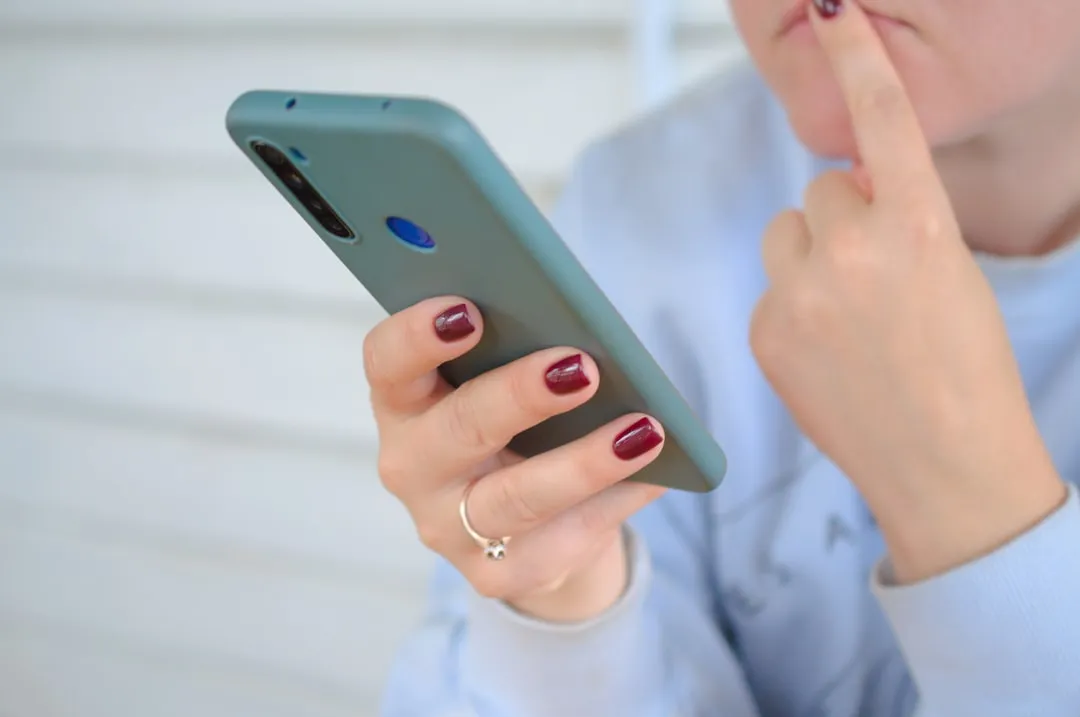
However, it is important to note that these applications use more battery and can degrade audio quality in certain cases. Use them only when really necessary, not as a permanent solution. If after using an amplifier you notice that the sound is distorted, reduce the level a little and try to activate the option "normalize audio" if the app has one.
Real Use Cases: When and How to Increase Volume
Understanding when and how you need to increase the volume of your mobile phone is as important as knowing the technical methods. Different situations require different approaches, and optimizing for each scenario significantly improves your experience.The company Frutnix, specializing in audio solutions for mobile devices, identified through practical studies the most common scenarios where users face difficulties with insufficient volume.
In the scenario of phone calls, especially in noisy environments such as busy streets or open offices, you need guaranteed maximum volume. In this case, in addition to increasing the volume of calls in the settings, turn on the amplification mode for conversations and put the phone closer to the ear. If it is still difficult, use headphones, which concentrate the sound directly in your ear and reduce the need for such a loud volume, saving battery and preserving the speaker.
To watch videos in public places like buses, subway or cafes, the challenge is different. Here you want loud sound without necessarily perfect clarity, just enough to understand the film. Use volume amplifier applications in these situations and reduce visual quality if necessary, as less processing leaves more processing power available for audio. Many users who watch content on public transport report that using an amplifier makes the experience completely feasible.
In alarm clock and notification scenarios, the volume needs to be loud enough to wake you up or get your attention, even with a headset. Set the alarm volume at most in settings and consider using combined vibration ringtone. If you live in a very noisy place, even standard audio amplifiers may not be enough, needing alternative options like stronger vibration or pitch change for higher frequencies that better penetrate ambient noise.
Advanced Settings and Professional Tips
For the most demanding users who have tried everything and are looking for that last volume increment, there are professional adjustments available. If you use Android and feel comfortable accessing the developer mode, you can modify audio gain values directly in the system configuration files. This process requires extreme care, as incorrect changes can damage the sound permanently, so back up before any changes.
On Android, go to Settings > About phone and tap "Compile number" seven times to enable developer mode. Go back to Settings, find "Developer options" and look for "Maximum volume ratio" or "Volume limiter". Increasing this value allows the system to reach even higher volumes than normal, but with distortion risk if raised too high. Start by incrementing only 10% and test before increasing more.
Another professional tip involves optimizing the equalizer of the apps you use most. If you use Spotify, Netflix or YouTube, access the audio settings within each app and turn on the equalizer if available. Increase the bass moderately and highlight the treble a little, creating a peak in the frequency spectrum where the human ear is more sensitive. This setting makes the sound look significantly louder without causing distortion.
Also consider the physical environment around you when you activate the maximum sound. The acoustics of the space tremendously influences how you perceive the final volume. In rooms with a lot of reverberation like bathrooms, the sound sounds louder naturally. In spaces with a lot of absorption like offices with carpet and curtain, the same cell phone sounds lower. Positioning the device against a hard surface like glass amplifies the sound through the reflection of waves.
Hardware Protection and Safe Volume Limit
Increasing the volume of your phone should always be balanced with the health of the device and your hearing. Speakers have physical and digital limits, and regularly exceeding them causes permanent damage to the hardware. Most modern phones include protection to prevent extreme damage, but this protection has limits and can fail if you force the device consistently to the maximum.
Audiologists recommend that you do not keep your phone at maximum volume for prolonged periods, especially when using a headset.The World Health Organization states that eight hours of exposure to 85 decibels is the safe limit before causing hearing loss. A cell phone at maximum volume with a headset produces approximately 100 to 110 decibels, a dangerous speed that damages your hearing in minutes of continuous exposure. Use high volume punctually only when necessary.
If you noticed that the speaker began to produce strange sounds, crackling or distortion even at moderate volumes, it is a sign of damage to the hardware. In this case, seek professional technical assistance, as continuing to force the device will worsen the situation. Sometimes, only a deep cleaning inside the phone restores the sound quality, but at other times the speaker will need to be replaced completely.
To preserve your equipment while enjoying larger volumes, switch between using your phone at high volume for short periods and at moderate volumes the rest of the time. Use headset when possible, as it distributes the volume between two audio thumbnails instead of a single main speaker. Keep the device up to date with the latest software versions as manufacturers constantly optimize audio processing and add new protections against damage.


