
You can diagnose your car problems directly from your iPhone without going to the mechanic.With advances in technology, smart apps and devices allow anyone to identify vehicle failures in minutes.

Car Scanner ELM OBD2
CAR SCANNER LLC
The ease of using your smartphone for automotive diagnostics has changed the way many drivers handle maintenance and repairs.You save time, money and still gain knowledge about the health of your automobile before looking for a professional.
How iPhone car diagnostics works
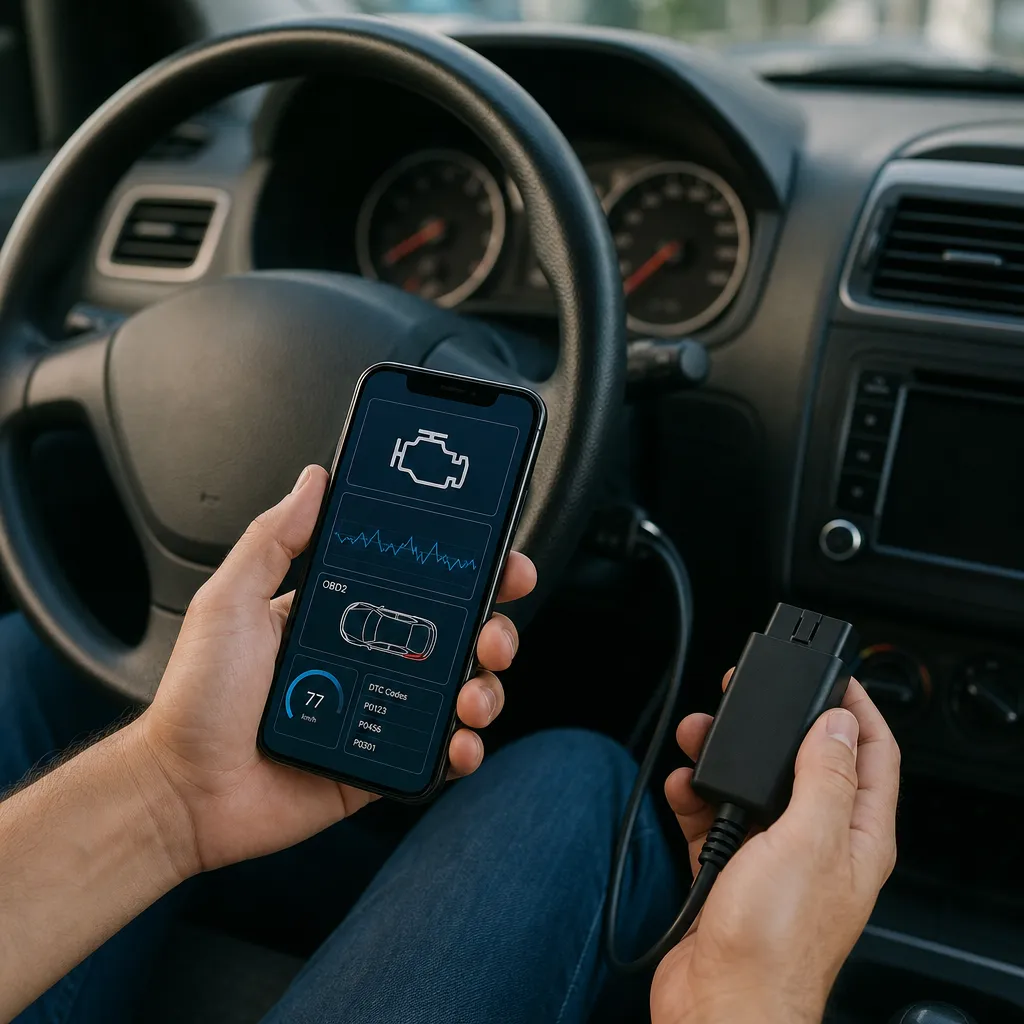
The automotive diagnostic system on the iPhone works by connecting to the vehicle's on-board computer, also known as ECU (Engine Control Unit). This computer constantly monitors all the systems in the car and stores information about any anomaly detected.When you connect a Bluetooth device or OBD2 adapter to the iPhone, you can access this information in real time.
Specialized applications interpret the error codes generated by the car's computer and translate them into simple language for the user. This way, you can understand exactly which system is having a problem, whether in the engine, transmission, emissions system or other components. Most of these apps also provide recommendations for action and severity of the problem.
Tools needed to make the diagnosis
To diagnose the car by iPhone, you need an OBD2 adapter compatible with your vehicle. OBD2 (On-Board Diagnostic) is a standardized protocol that all cars manufactured from 1996 in the USA (and 2000 in Europe) have. There are several options of adapters on the market, from basic models to premium versions with advanced features. Bluetooth adapters are the most practical, as they connect wirelessly to your iPhone.
In addition to the adapter, you should download a reliable diagnostic application from the App Store. There are free and paid versions, each with different levels of detail and functionality. Some premium apps offer deeper analysis, fault history and even personalized recommendations based on the model of your vehicle. The initial investment is minimal compared to what you will save on unnecessary trips to the mechanic.
Step by step to diagnose your vehicle
The process starts by locating the OBD2 port of your car, usually positioned under the control panel on the left side of the steering wheel. You insert the OBD2 adapter into this port and activate the Bluetooth of your iPhone. After connecting, open the diagnostic application and wait for synchronization with the vehicle's computer, which usually takes a few seconds.
Once the app connects, you will see the home screen with the available reading options. Select the option to read the stored error codes or do a full system reading. The app will start collecting information from the car computer and display the results in an organized way. If there are detected problems, the app will show the specific codes, their translation and the severity of the situation.
You can also view real-time parameters such as engine temperature, RPM, fuel consumption and other important metrics. This continuous view helps you understand the behavior of the vehicle as you drive it. Many apps allow you to save the generated reports to compare with previous diagnoses and track the progression of problems over time.
Key benefits of this technology
Financial savings are the most immediate benefit of iPhone diagnosis. You avoid emergency mechanic appointments for simple problems and can still assess the actual urgency of a repair before scheduling a appointment.Often, what appears to be a serious defect is just a preventive maintenance notice that can wait a few more months.
The knowledge acquired through self-diagnosis increases your autonomy as a driver. You no longer depend exclusively on the opinion of the mechanic and can question diagnoses or ask second opinion with accurate information at hand. This empowerment significantly reduces the chances of you being charged for unnecessary or expensive repairs.
Practicality is also a great differential of this approach.In minutes, you get a complete diagnosis of your vehicle without leaving home or work. This allows you to better organize your routine, schedule workshops in advance and even plan your maintenance budget more accurately. Continuous monitoring helps detect incipient problems before they become serious and costly defects.
Important limitations and care
Although powerful, the diagnosis by iPhone does not completely replace the evaluation of a qualified mechanic in all cases. There are mechanical and electrical problems that do not generate error codes in the car computer, such as strange noises, leaks or wear of parts. Electronic diagnosis is excellent for identifying problems related to the engine, transmission and electronic systems, but limited in purely mechanical matters.
The quality of the data also depends on the state of the OBD2 adapter and the compatibility of the application with your specific vehicle. Not all adapters work perfectly on all car models, especially on very old or imported vehicles. You should research well before buying an adapter and choose applications with good ratings and specific support for your brand and year of manufacture.
Correctly interpreting error codes also requires care and research. The same code can indicate different problems depending on the context and history of the vehicle. Consult specialized forums, technical manuals or a reliable mechanic to confirm the diagnosis is always recommended before making important repair decisions.
FAQ: Frequent questions about iPhone car diagnosis
What is the best OBD2 adapter to use with iPhone? Bluetooth adapters from well-known brands like Viofo, Konnwei and BlueDriver are excellent options. Choose models that are well compatible with iOS and work with your specific vehicle model. Read user reviews of cars similar to yours before deciding which one to buy.
Are free diagnostic apps reliable? Many free apps work well, but they usually offer limited features compared to paid versions. Apps like CarReport and DriveSpark provide reliable basic diagnostics, but premium versions like Torque Pro and BlueDriver offer much more detailed and personalized analysis.For occasional use, free is enough; for continuous monitoring, paid is more advantageous.
Is it safe to use these tools in any car? Yes, the OBD2 protocol is a passive reading standard that does not make changes to the vehicle system. You just read information, do not write or modify data. However, not all adapters work on all cars, especially European premium brands or very old vehicles. Always check compatibility before buying.
How often should I make diagnostics on my car? If the car works well, a monthly reading is enough for preventive monitoring.If you notice strange behaviors or turn on the engine check light, make a diagnosis immediately. Regular monitoring helps to detect incipient problems and prevents unexpected failures on the road.
Can I delete error codes from my iPhone? Yes, most applications allow you to delete stored code after reading it. However, deleting code without resolving the underlying issue will make the code reappear later. Use this function only after effectively resolving the problem or to clear preemptive maintenance warnings already completed.
Does iPhone diagnostics work on hybrid or electric cars? Modern electric cars have more complex systems that do not always generate traditional OBD2 codes.Many have their own proprietary diagnostic systems that require specialized equipment.The OBD2 works best on vehicles with traditional combustion engines.
What is the total cost to get started? A basic OBD2 adapter costs between 30 to 80 reais, while premium models cost up to 200 reais. Free applications have no cost, but premium versions range from 10 to 50 reais. The total initial investment is affordable and easily justified at the first consultation to the mechanic you save.
Is it possible to monitor the car remotely with these tools? Some advanced OBD2 adapters have WiFi connection and allow remote monitoring through the cloud. This makes it possible to track the health of your car even when you are away from it. This functionality is especially useful if you share the car with family members or need to monitor business fleets.
What problems can't your iPhone diagnose? Purely mechanical problems such as wear of brake pads, worn shock absorbers, non-electronic manual transmission problems and leaks do not generate electronic codes.There are also limitations with intermittent problems that leave no trace of permanent error.For these cases, an experienced mechanic and a visual inspection are essential.
Conclusion
The diagnosis of the car by iPhone represents a significant advance in the autonomy of the modern driver.You gain the ability to assess problems of your vehicle before looking for a mechanic, saves money on unnecessary queries and even better understands the operation of your car. The technology is affordable, cheap and easily available to anyone willing to invest a few minutes learning how to use.
Remember that this tool is a complement and not a replacement for the professional knowledge of a qualified mechanic. Use it to gain information, make smarter decisions about maintenance and identify incipient problems. With the iPhone diagnosis in your hands, you become co-responsible for the health of your vehicle, making decisions based on real data and not just generic recommendations. Start today, invest in an OBD2 adapter and find out how many problems you could be ignoring or paying unnecessarily.


