
An automotive scanner app is the tool you need to diagnose problems in your vehicle quickly and accurately.With the right technology, you can identify faults before they become major expenses.

Car Scanner ELM OBD2
CAR SCANNER LLC
The reality is that many drivers face frustrating situations: warning lights turn on on the dashboard, the car exhibits strange behaviors, and you do not know if it is something serious or simple. An automotive scanner application connects directly to the diagnostic system of your vehicle, reading the fault codes and offering instant interpretations of what is happening.
What is an Automotive App Scanner and How It Works
An automotive scanner application is a software that works through an OBD-II (On-Board Diagnostic) adapter connected to the diagnostic port of your car. This device captures the real-time data of the vehicle's on-board computer, translating complex technical information into language understandable to the average user. The process is simple: you install the application on your smartphone, connect the OBD-II adapter to the diagnostic port (usually located under the instrument panel), and you have complete access to the technical state of your vehicle.
Communication happens via Bluetooth or WiFi, depending on the model of the adapter you choose. The app sends commands to the adapter, which in turn communicates with the car's on-board computer through the standard OBD-II protocol.In a matter of seconds, you receive information about the emissions system, engine, transmission, brakes and other vital components. This technology democratizes access to automotive diagnostics, something that was previously exclusive to specialized workshops with expensive equipment.
Practical Benefits of Using an Automotive Scanner
The first major benefit you will experience is significant financial savings.When you can identify small problems before they turn into major failures, you avoid costly repairs.For example, if the app detects that there is an oxygen sensor reading problem before your gas emission compromises the catalyst, you potentially save thousands of dollars on future repairs.
Mental tranquility is another invaluable benefit you gain by using these tools. That yellow light on the dashboard ceases to be mystery. You know exactly what it means, you can research specific solutions and even talk to workshops more informed about the problem. This transparency eliminates the feeling of being at the mercy of the mechanic, giving you control and knowledge about your own vehicle.
The speed of diagnosis you get also changes the game completely. Instead of making an appointment in the workshop, waiting days, and paying diagnostic fee just to find out the problem, you have answers in minutes and free of charge or with minimal investment. This is especially valuable when you are traveling or when the problem occurs at inconvenient times for workshop visits.
You also gain progressive knowledge about your vehicle by regularly using the app. Over time, you learn what normal operating patterns are, how to monitor engine performance and how to anticipate potential problems.This accumulative knowledge makes you a more conscientious vehicle owner and able to make better decisions about maintenance and repairs.
Real Results: Examples of Detected Problems
Let's go to the practical examples that show how an automotive scanner app works on a day-to-day basis. Imagine that you are driving and the engine check light (Check Engine) lights up. With the app, you find that the fault code is P0171, which means "Very rich system in cylinder 1". This may indicate a leaky injector, a dirty MAF sensor or fuel pump problems. Armed with this specific information, you can talk to the mechanic much more accurately about the problem.
Another common scenario: you realize that the car is having difficulty turning on in the cold. The scanner app reveals that there is a stored P0128 code, which refers to the engine thermostat not maintaining the proper temperature. Instead of the mechanic speculating, he knows exactly what to investigate, saving diagnostic time and, consequently, reducing costs for you. You can even decide whether to repair immediately or wait, based on the severity indicated by the app.
A third practical example: when you do preventive maintenance and turn on the scanner, you can review the history of failures recorded in the system. If you detect that there is intermittent code related to the speed sensor, you can contact the mechanic and solve this during the next scheduled overhaul, instead of waiting for it to get worse. This preventive approach based on real data is infinitely more efficient than just following the standard maintenance schedule.
How to Choose the Best App and Adapter Scanner
When choosing your car scanner app, you need to first consider compatibility with your vehicle. Not all cars have access to the same amount of diagnostic data, especially older vehicles or exclusive brands.Make sure the app you intend to use is compatible with the brand and year of your car before making any adapter investment.
The quality of the OBD-II adapter is equally important as the app. You find options that range from very basic (which only read fault codes) to premium models with multiple functions.Most advanced adapters, such as the latest hardware-based ones, are able to access additional systems like airbags, ABS brakes and automatic transmission. Invest in a reliable adapter with good user evaluation to ensure you get accurate and consistent data.
The app interface also makes a big difference in your experience. A good automotive scanner app should display the information clearly, with simple language explanations of fault codes.It should allow you to view real-time data, save histories and even export reports.Search for apps that offer support in Portuguese and that allow you to customize what data you want to monitor while driving.
Step by Step: First Steps with Your Scanner
Starting from scratch, the first step is to download a reliable automotive scanner app on your smartphone. Popular options include several apps available in the app stores, many offering free versions with basic functionality and paid versions with more advanced features. Read reviews and make sure the app has active support and regular updates.
The second step is to purchase an OBD-II adapter compatible with the app you have chosen. You will find these adapters online, in auto parts stores and even in large marketplaces. Note if the adapter connects via Bluetooth or WiFi, Bluetooth being more common and generally less prone to interference. Test the adapter as soon as you receive to ensure that it works before there is any problem in your vehicle.
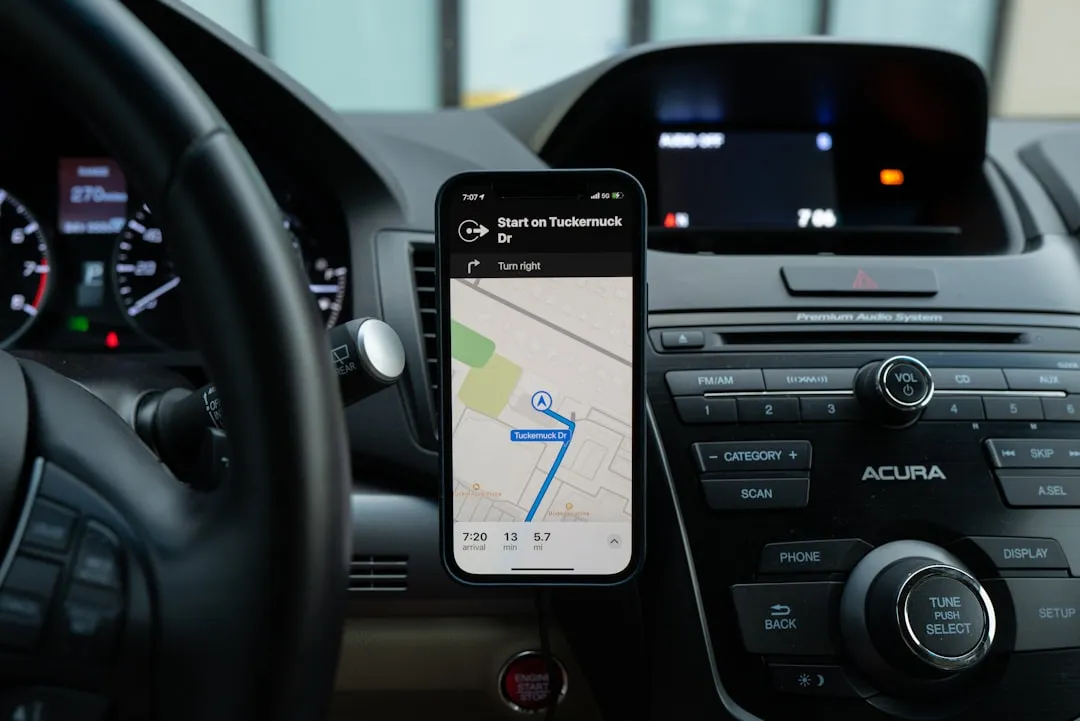
With the adapter in hand, you locate the OBD-II port on your car, which is usually under the instrument panel, near the steering wheel, or sometimes below the airbag. Consult your vehicle manual if you are unsure of the exact location. Connect the adapter to the door, turn the car into an accessory position or with the engine on (check the instructions for your specific adapter), and open the app on your smartphone.
The app will detect the adapter automatically and establish a connection. After the successful connection, you will see a panel with several options: read fault codes, monitor real-time data, view vehicle information and access code history. To begin, select the option to read fault codes to see if there are any stored problems. If there are, the app will display the code (something like P0101) along with an explanation of what it means.
Next, explore the real-time monitoring section to see how your vehicle is operating at that moment.You will see information such as engine RPM, vehicle speed, engine temperature, instant fuel consumption and more. Spend a few minutes exploring this information to familiarize yourself with the data. Save a "baseline" or snapshot of the normal state of your car, so you have reference when something abnormal occurs in the future.
Interpreting Data and Failure Codes
Each fault code follows an internationally standardized pattern, starting with the letter P followed by four numbers. The first two numbers indicate the category (for example, P0 for the engine system), and the last two specify the component and type of problem. A code P0300, for example, means that there are multiple incorrect combustion sequences detected in the engine, while a P0420 specifically refers to the efficiency of the catalyst.
When you receive a fault code in your automotive scanner app, the app usually provides an explanation in plain language.However, you should understand that not all codes indicate immediate emergency.Some codes suggest issues that need attention soon, while others may be critical.The app usually rates severity, helping you understand whether it is safe to keep driving or whether you should seek technical help immediately.
An important detail is that the same code can have several potential causes depending on the context. For example, a P0128 code (thermostat does not maintain proper temperature) can result from a faulty thermostat, a malfunctioning temperature sensor or even problems in the water pump. The app provides the most common interpretations, but you may need to make complementary diagnosis or consult a professional to confirm the exact cause.
You should also learn to differentiate between defined codes and pending codes. A defined code means that the fault has been detected and confirmed in multiple driving cycles, while a pending code has appeared once or twice but has not yet been completely confirmed by the car computer. Pending codes sometimes disappear after a few sessions of normal driving, while defined codes usually indicate problems that need to be addressed.
Professional Tips to Maximize Your Scanner
A valuable tactic you can adopt is to keep a track record of your vehicle using the automotive scanner app. Periodically record performance data, fuel consumption and any intermittent fault code.Over time, this history provides valuable patterns and allows you to detect gradual degradation of components before they turn into catastrophic failures. Some apps allow you to export this data in report format, which you can keep as documentation of the technical history of your car.
Another effective strategy is to use the scanner app before taking the car for review or repair. This allows you to get to the workshop with specific information about the problem, which saves the mechanic time and reduces diagnostic costs. Many workshops charge a separate fee just to read the codes and determine the problem. You will already get there with this information and can focus directly on the solution.
You should also consider using the automotive scanner app to monitor real-time data while driving, especially if you are trying to diagnose a flashing problem. For example, if the car is flashing a fault light but the problem is not consistent, you can drive while monitoring specific data and try to reproduce the fault. When the problem occurs again, you may be seeing exactly what values were abnormal at the time of failure.
Remember that the automotive scanner app is a diagnostic tool, not a magic solution. In many cases, you will still need a qualified professional to repair the identified problem.But with the information that the app provides, you will be much better positioned to make informed decisions, compare workshop budgets and understand exactly what is being done in your vehicle.
Success Cases and Real Transformations
Considering a practical scenario with the Frutnix platform, which integrates automotive monitoring tools among its features, many users have reported significant transformations in how they manage the health of their vehicles. A car owner who regularly used the scanner through such a platform managed to avoid a complete alternator failure by detecting a P0617 code (above-expected alternator regulator signal) before the component completely failed. Early detection allowed him to schedule the repair at his convenience, rather than getting stuck on a highway with the car shutting down.
Another real example involved a driver who had noticed an increase in fuel consumption.When using the scanner app, he discovered a code P0171 that indicated very rich fuel mixture.With this specific information, he sought a specialized technician who quickly identified a leaking fuel injector. The problem was solved in less than an hour, with significant savings because the diagnosis was accurate and fast, avoiding hours of blind investigation.
A third case involved a driver who was considering giving up his car because he had received a workshop diagnosis that would cost thousands of dollars.When using an automotive scanner app, he found that the real problem was much less serious than the one initially described by the workshop. With the concrete data of the app, he was able to talk to another professional and solve the problem for a fraction of the original cost. This situation illustrates how access to real technical information protects the consumer from possible abuse.
The most transformative result is that many owners report a fundamental change in how they relate to their vehicles.From a feeling of helplessness and dependence on third parties, they come to have knowledge, control and ability to make decisions based on real data. This psychological transformation is as valuable as the financial and practical benefits, creating more engaged and responsible owners with the preventive maintenance of their cars.


